Ping Neon Pong
Instructions:
Player 1 Left Paddle Keyboard Use the W key to move the paddle up and the S key to move the paddle down Mouse Touch Move the mouse or drag your finger on the left half of the screen to control the paddle position Player 2 Right Paddle - 2-Player MDescription
Ping Neon Pong Hidden Combos and Tips
Score-Boosting Tactics
- Vary paddle contact point rather than always hitting the ball dead center for more shot control.
- Watch the AI's paddle positioning in 1-Player mode to identify predictable weaknesses over time.
- Use the maximum ball speed setting sparingly at first until your reflexes adjust properly.
- Practice against a friend in 2-Player local mode to sharpen reaction time against unpredictable human play.
Control Scheme
- Player 1 uses the W key to move the left paddle up and the S key to move it down.
- Alternatively, move the mouse or drag a finger on the left half of the screen to control paddle position.
- Player 2 controls the right paddle using a separate set of keys during 2-Player local matches.
- Access the Settings Menu to adjust paddle size and set a maximum ball speed limit.
Features
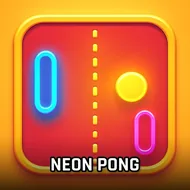
- A modern, glowing visual overhaul of the original classic Pong formula.
- Both 1-Player mode against increasingly difficult AI and 2-Player local mode for a friend.
- A customizable Settings Menu for adjusting paddle size and controlling ball speed.
- Fast-paced, intense rallies that reward sharp reflexes and precise paddle timing.
Comparing high scores with friends afterward adds a small competitive spark on top of the otherwise fast-paced rally loop, and the glowing visual presentation keeps every match feeling genuinely lively throughout a longer session. Short, replayable rounds make this an easy pick for a quick session, whether playing solo or against a friend locally. Its bright color palette makes it easy to track the ball at a glance during the fastest rallies.